Overview of the Portal
The portal has two interfaces:
- The part visible to users, whether they are authenticated or not: this is the user interface, or front office. It is often accessible via a URL such as: http://portail_data.domain.com.
- The one accessible only to administrators: this is the administration interface, or back office. It is always located at http://portail_data.domain.com/admin.
This guide focuses on the second option, although the first is used to illustrate the consequences of the configuration.
Balancing Data Management and Web Design
In Isogeo’s vision, cataloging is merely an intermediate step toward the dissemination and promotion of data and maps. Creating metadata is not an end in itself, and data catalogs are far too often interfaces designed for technicians and fall far short of meeting usability standards.
That is why the portal combines Isogeo’s expertise in data governance and utilization, the power of the platform—which enables the delivery of (meta)data via its API—and the know-how of a web development and design agency: PixUp.
User-centered portals accessible to everyone
The goal is not simply to make a catalog available for viewing, but to implement features designed to foster engagement with the data assets: feedback, comments, tracking of changes, user accounts, news, highlighting the GIS, etc.
In addition, you can take advantage of the Isogeo API to create a portal tailored to specific user profiles. For example, if you want to make certain data available only internally and not externally, this is very easy to set up through the administration panel.
You can also choose which content is displayed based on user profiles (internal or public, for example) by setting up groups.

Supporting the Distribution Strategy
Isogeo Search Engine
The portal naturally incorporates all the power of the Isogeo search engine: dynamic filters, result sorting options, pagination, and more—all within a clear interface that closely resembles the tools you use every day.

...and cross-platform search engine
The search bar allows you to search not only within the data but also across all elements of the site (maps, apps, news, pages, etc.).

Management of dynamic and static content
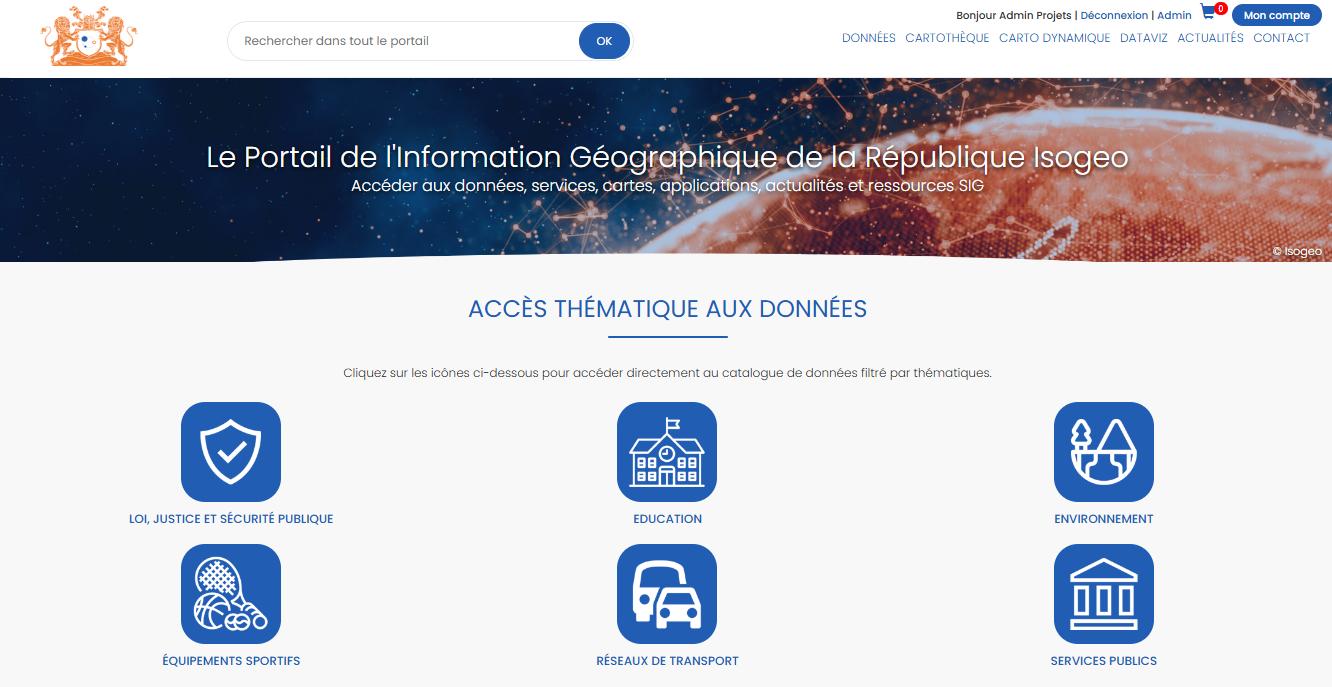
The portal isn't just focused on data. In fact, the portal includes a CMS (Content Management System ) and thus allows for the publication of editorial content, such as:
- menu management;
- managing the home page widgets;
- news management (creation, editing, publication, and promotion on the business homepage);
- Data Visualization Management;
- managing the website's pages and iframes;
- or even a built-in file manager, etc...
All of this content can be displayed or hidden based on user profiles (internal or public, for example) by configuring groups.
A Participatory Approach to Promoting Intangible Cultural Heritage
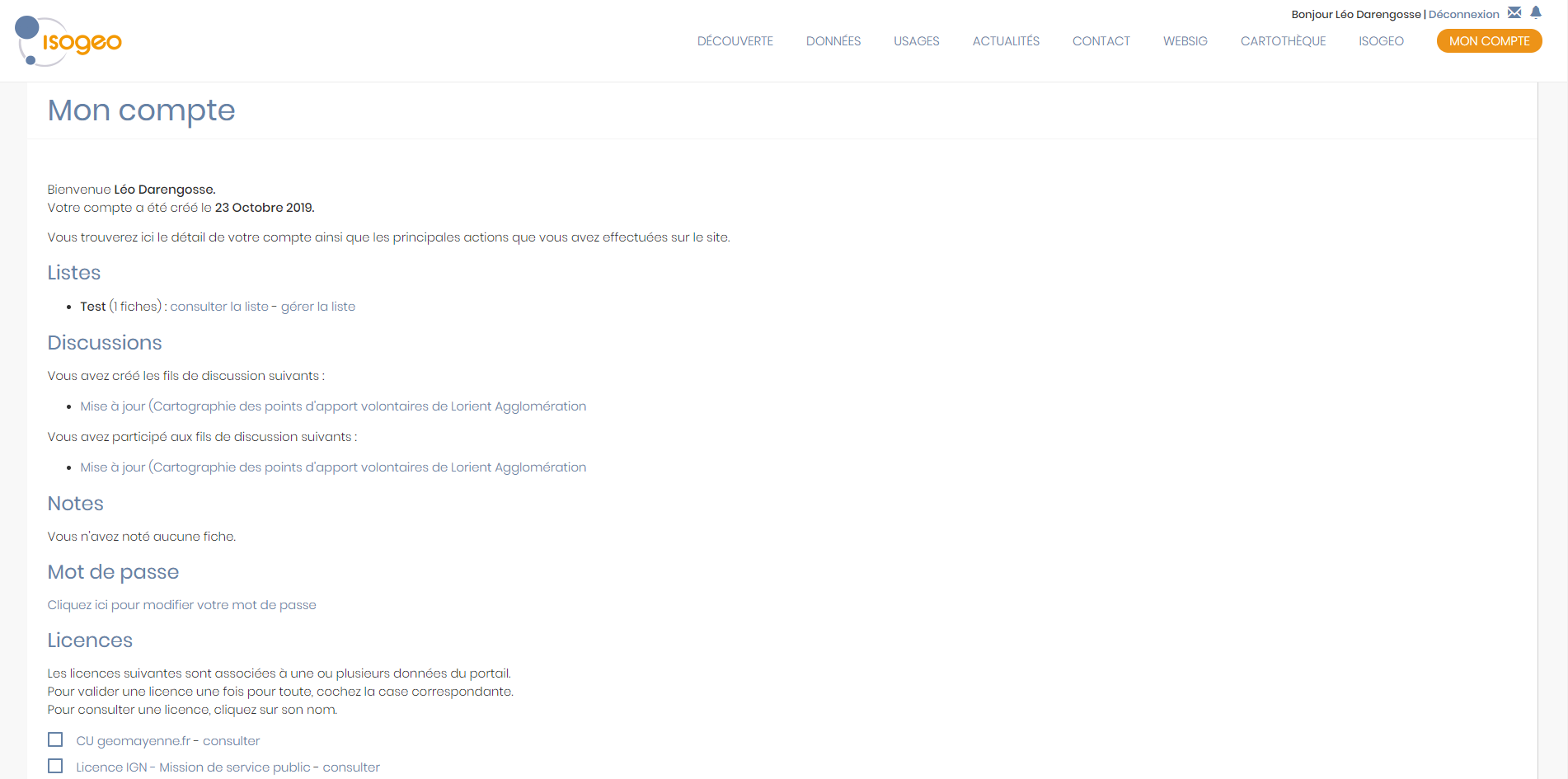
A dedicated area and features are available to authenticated users: access to restricted pages or additional details on metadata records, access to collaborative features, the ability to create custom data lists, and more...
A streamlined workflow thanks to notifications: Users can choose to subscribe to specific data (via lists) on a weekly basis (the frequency is customizable); they then receive a report via email indicating which data has been updated in the meantime, without any action required on the part of the administrator.
See:
Simple yet powerful management
The administration interface allows you to manage access to the portal as well as the display of various metadata fields and content based on user types.
See:
- make authentication on the portal mandatory;
- manage users;
- Manage the display based on the user group.
A customizable portal
The data portal can be customized to reflect your organization's branding (color scheme, logo, displayed menus, authentication, etc.). Below are a few of our publicly available projects:
- Lorient Metropolitan Area
https://geocatalogue.lorient-agglo.bzh/ - Drôme Department https://infogeo.ladrome.fr/
- Manche Department https://portail.geomanche.fr
- Durance Valley Joint Development Authority
https://geocatalogue.smavd.org/ - The demo portal (which is (sometimes under construction)):
https://demo.isogeo.net
Multi-platform interface
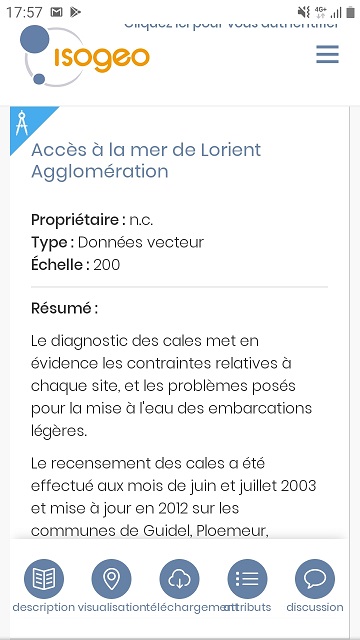
The portal's interface features a responsive design to adapt to different device screen sizes (computer, smartphone, tablet, etc.).
A broad, comprehensive, and coherent scope of practice
Many other features round out the user experience:
- managing a data extraction basket from open feature services;
- presentation of a map collection based on the Resources records;
- export metadata to PDF format;
- statistics for administrator reporting: general metrics (Google Analytics, Matomo) and specific metrics (views, resources, searches, etc.);
- search engine optimization (SEO);
- direct link to the metadata record editor for Isogeo publishers;
- Markdown support available in Isogeo;
- button to copy the path of a file directly from the metadata to the clipboard;
- Access the data directly using only its ID, following this URL format:
https://{domain}/isogeo-data/{data-id}Example:https://demo.isogeo.net/les-donnees-isogeo/9bdfa63fbd4a4041a60fa6a4eb706c0d