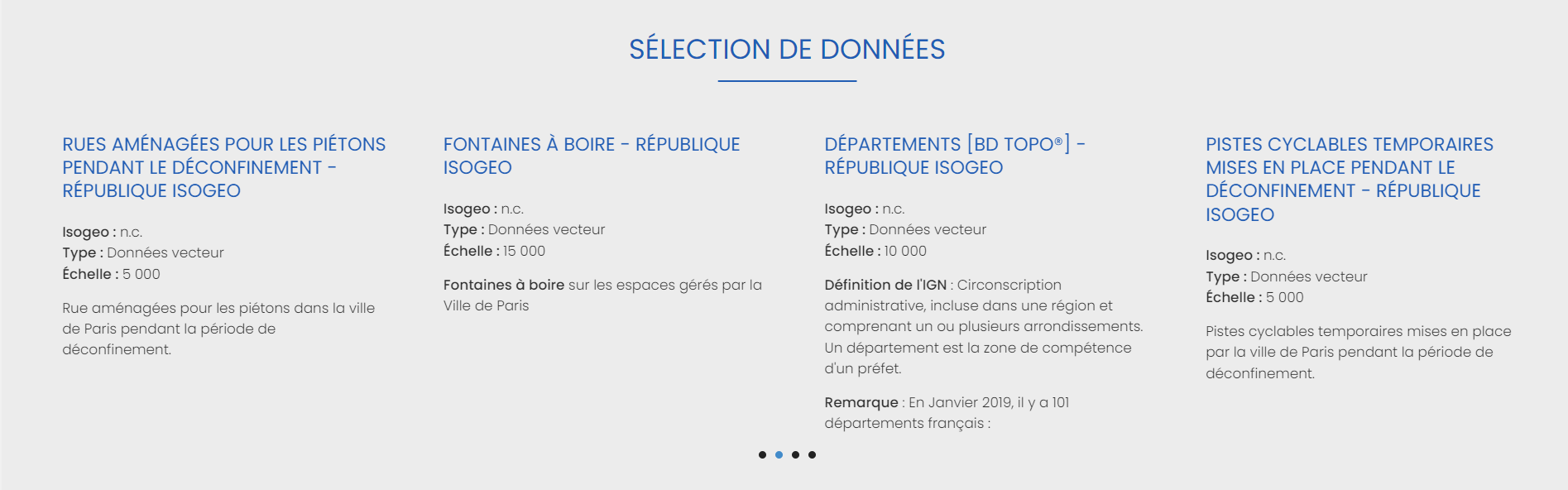
Data Selection
This widget lets you select the data you want to highlight on the site's home page. You can customize this selection in the following menus.
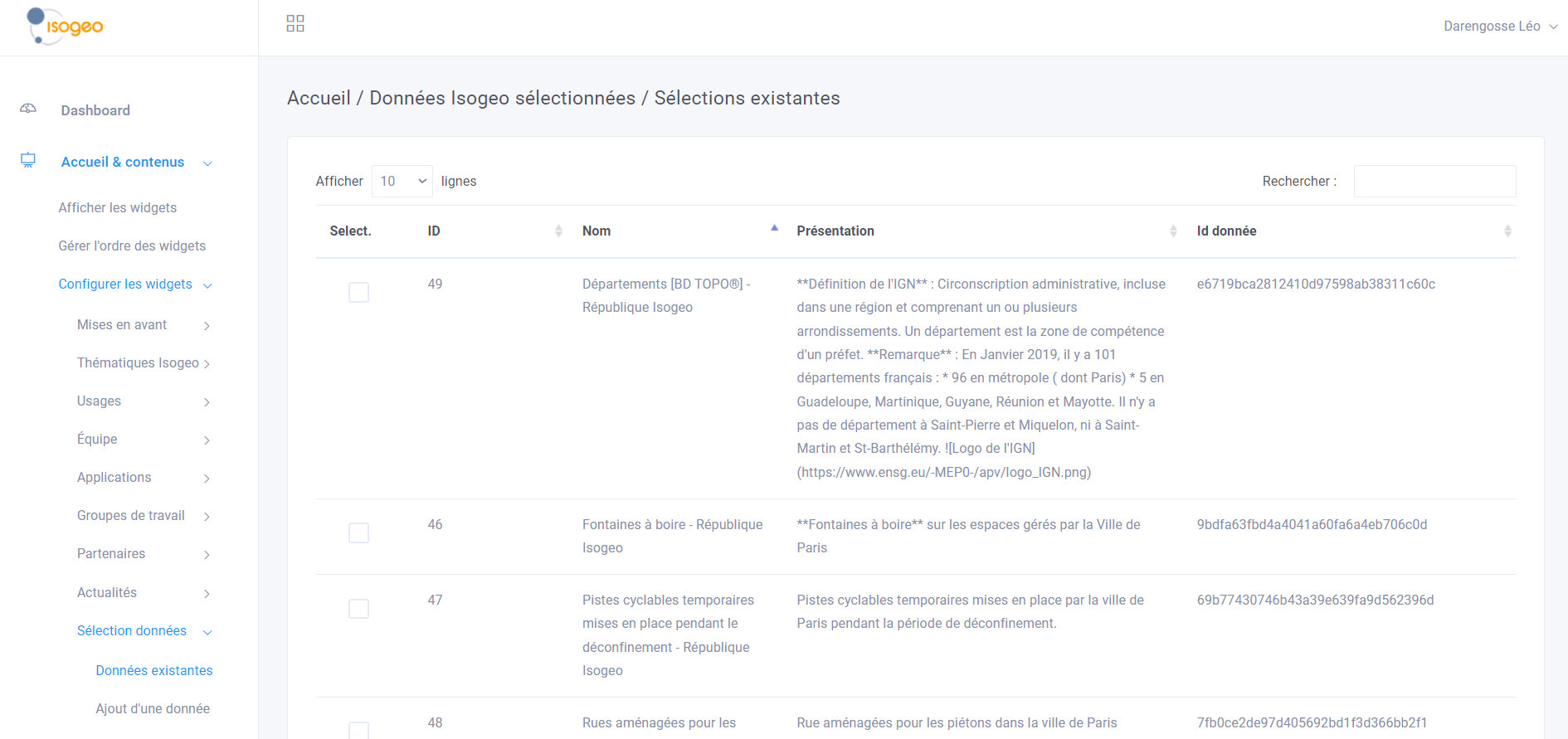
Selected Data
This menu allows you to view a list of all selected data. A search bar (by name) and a pagination system have been implemented. You can edit a selection or delete one or more selections as needed.
Adding Data
To create a selection, simply click " Add Data " in the access menu. To edit an existing data selection, simply select it from the previous menu.
To select a data point, you must first retrieve its identifier from the URL of the metadata record on the portal.
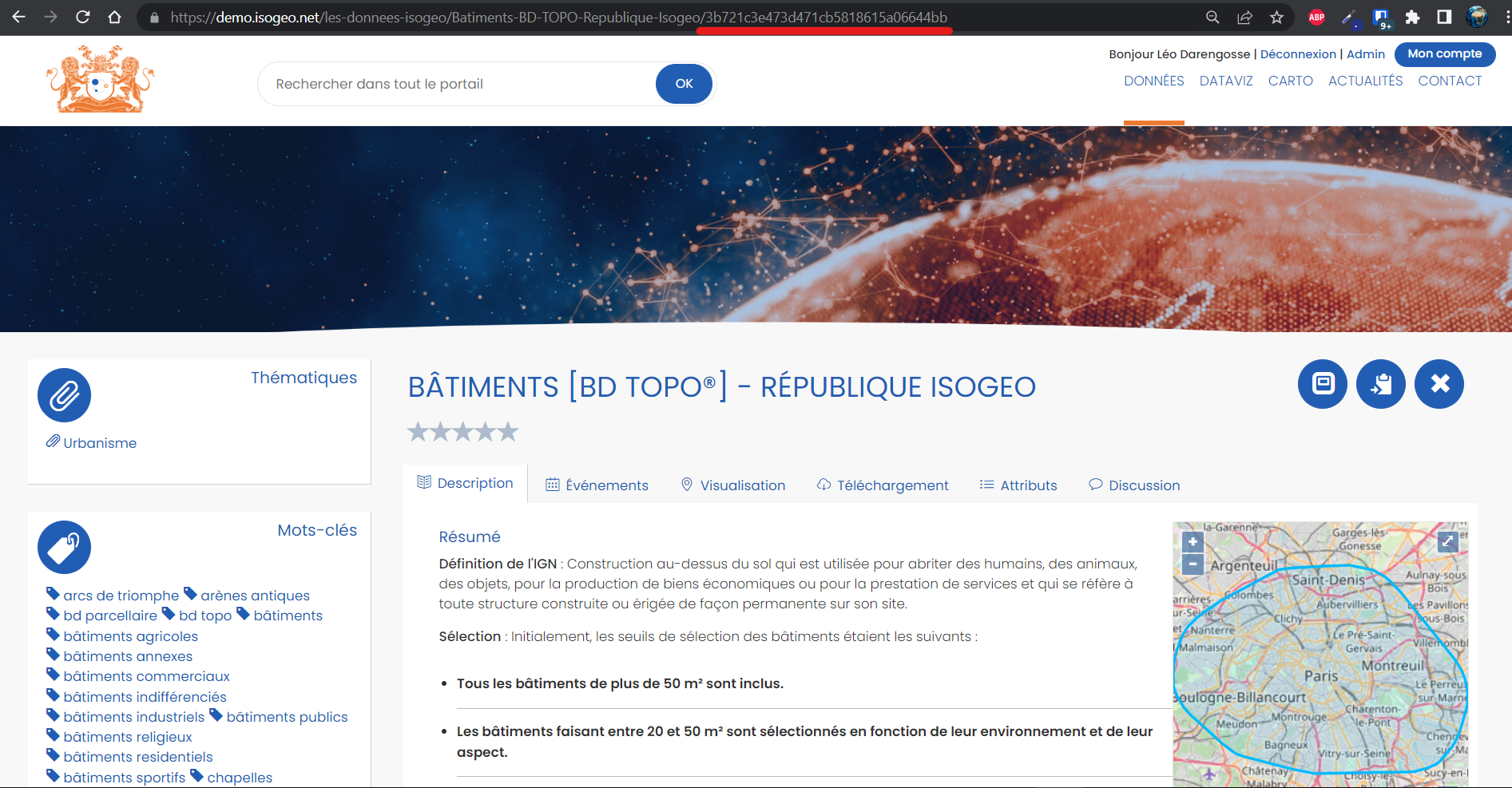
Once you've retrieved the ID, simply click "Update" to automatically generate the record.
Results from the front office
Widget on the home page
The selections are displayed in a "Slider" widget. By clicking on the title, the user is taken directly to the corresponding record in the portal. You can scroll through the selected data by holding down and releasing the left mouse button.