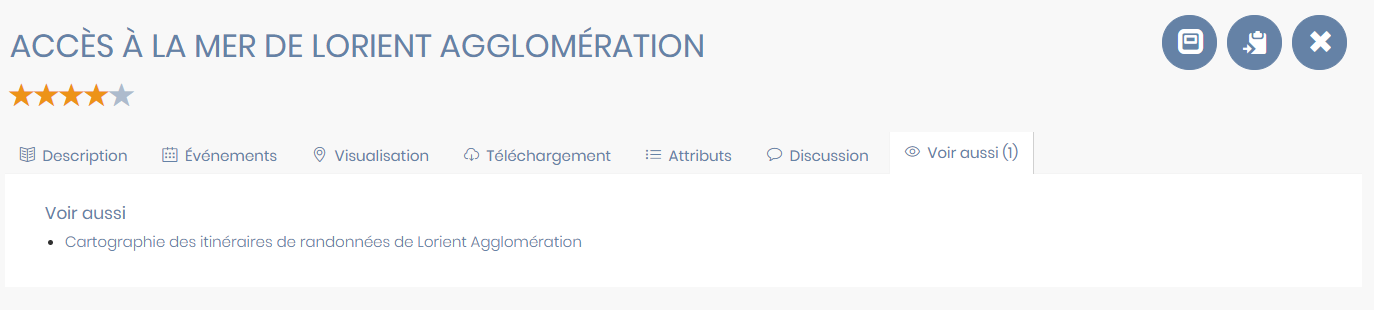
See also
This section allows you to manage the " See Also " links in the portal's metadata records. This is a tab that shows the user records related to the one they are currently viewing and that might interest them (see screenshot at the bottom of the page).
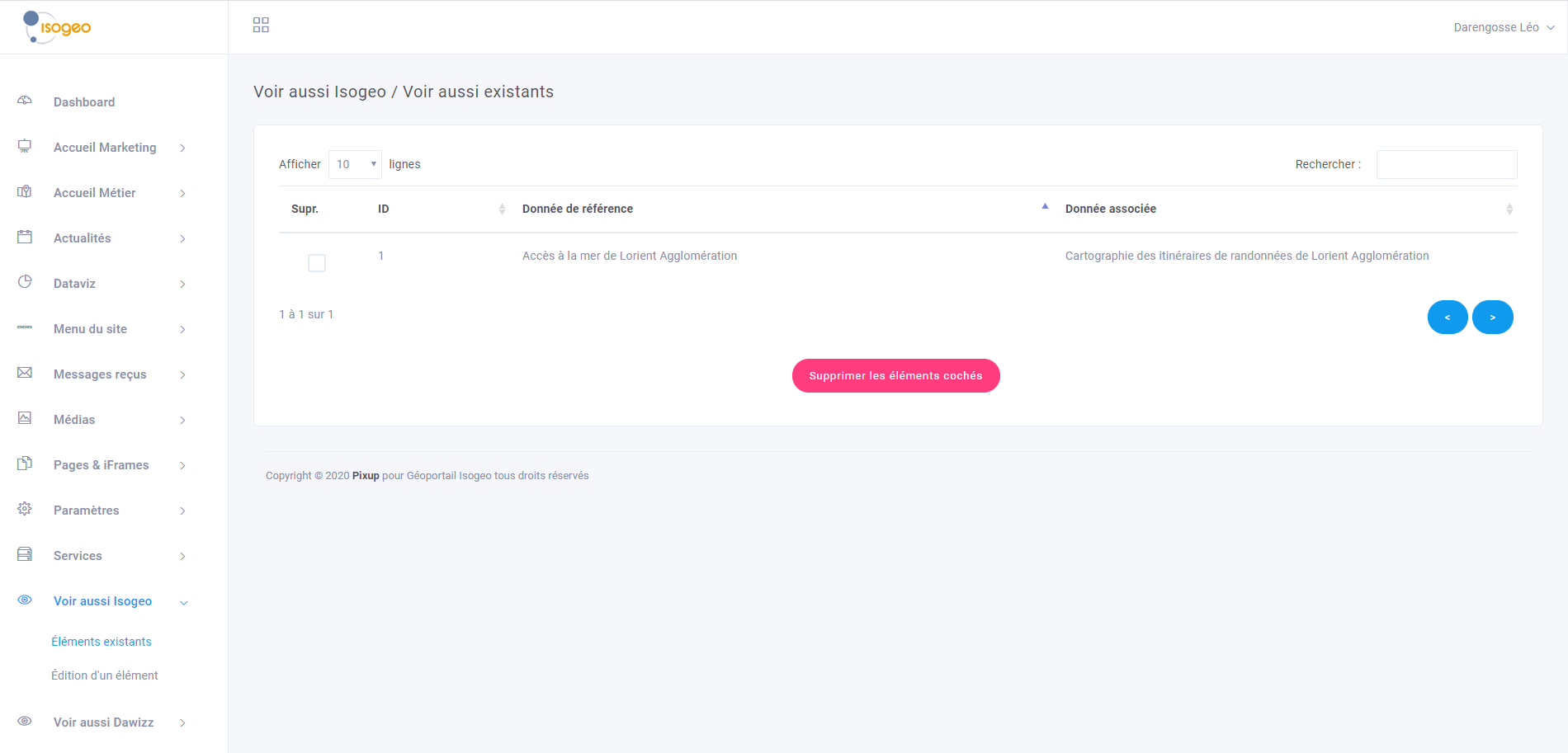
Existing Elements
This menu displays a list of all " See Also" entries. A search bar (by name) and a pagination system have been implemented. You can edit a menu or delete one or more menus as needed.
Editing an item
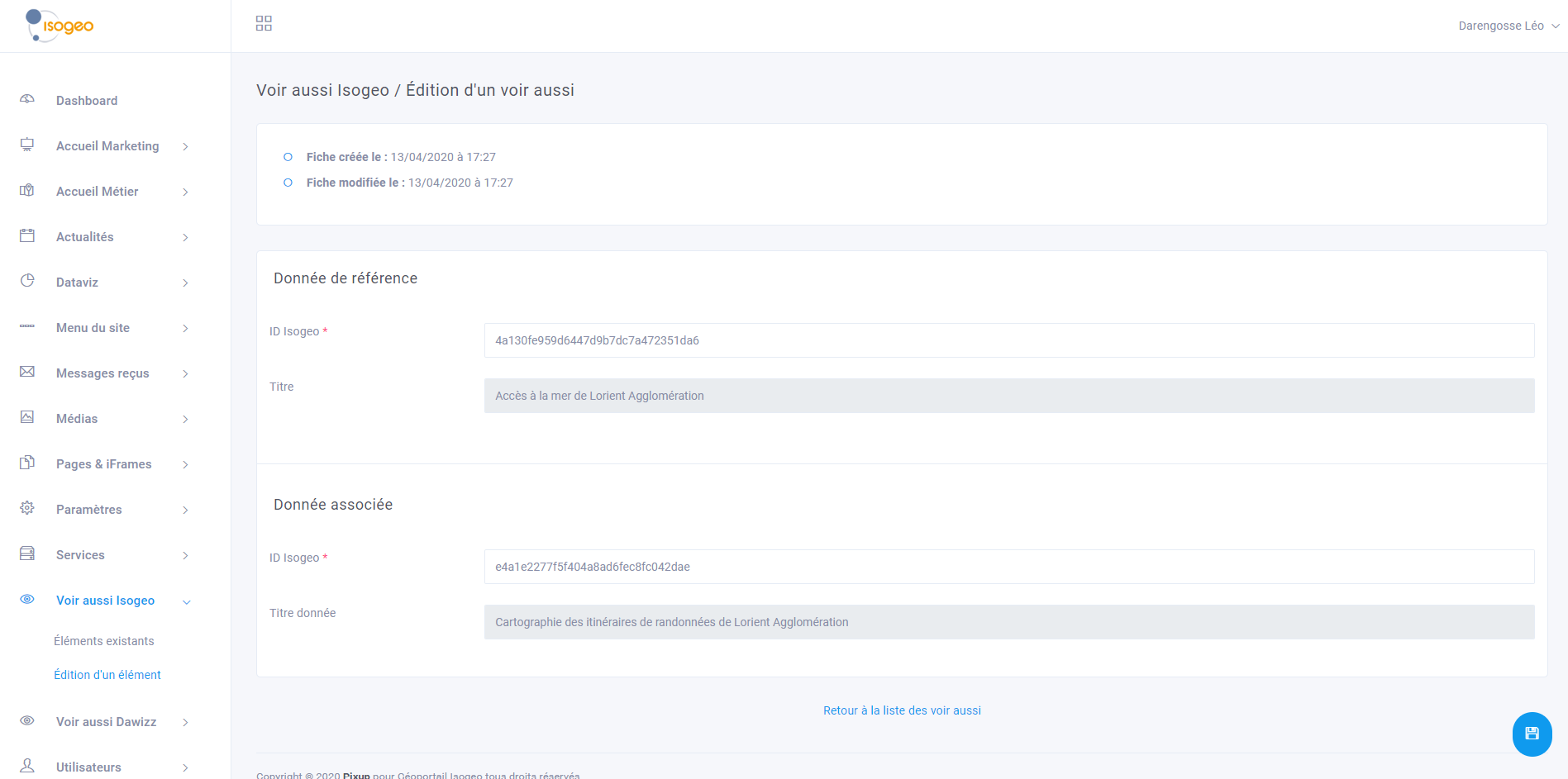
To create a "See Also" entry, simply click " Edit Item " in the access menu. To edit an existing "See Also " entry, simply select it from the previous menu.
The editor allows you to select the reference data and the data to be associated with it.
- To retrieve the Isogeo ID for a record, simply open it in the portal and copy the ID from the end of the URL. For example:
https://demo.isogeo.net/les-donnees-isogeo/Arbres-remarquables-Ville-de-Paris/10383c7f97ba470fbbffdd46d3e99308 returns 10383c7f97ba470fbbffdd46d3e99308 - Enter the IDs for the reference record and the target record, then save. The metadata titles should appear if the IDs were correct.
Note
Please note that " See Also " links are not "two-way." On the associated data record, there will be no " See Also" links.
Results in the front office